Start/Finish, Sectors, Delta
The app detects start/finish, stores sector splits, and shows live delta against the selected reference lap so drivers can see where the time is coming from.
G-Box Lap Timer · Built by a racing driver
Record. Compare. Understand. Created by a professional racing driver and instructor, G-Box brings your laps, video and telemetry together on iPhone.
Coming in version 2.5 — awaiting App Store approval.
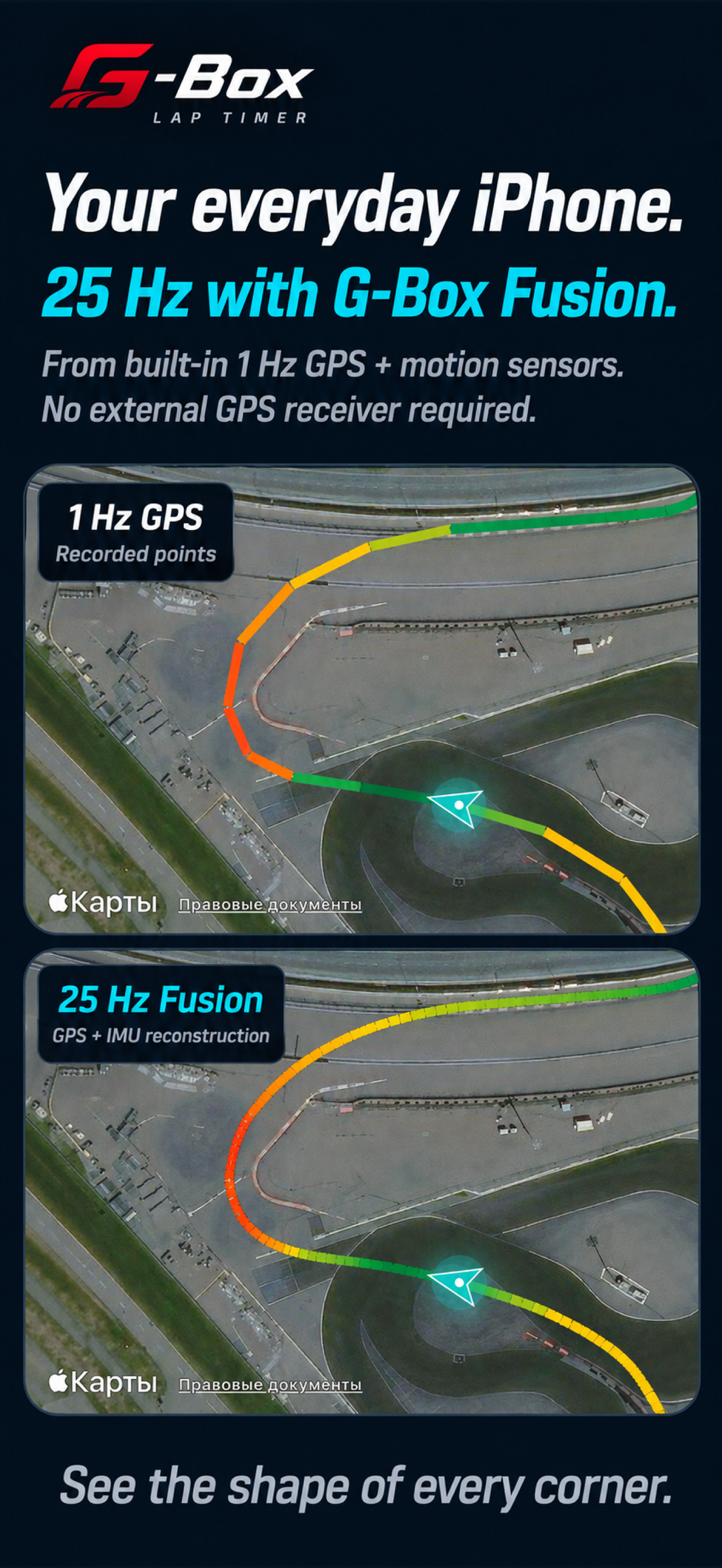
Free iPhone GPS Standard. Calculated 25 Hz GPS + IMU Fusion with G-Box Pro. No external GPS receiver required for Fusion.
G-Box Pro · GPS + motion sensors
G-Box Pro Fusion combines the iPhone’s built-in GPS with its motion sensors (IMU) to calculate your driving line at 25 Hz. No external GPS receiver is required for this mode.
Version 2.5 preview · Pending App Store approval
25 Hz means calculated position updates, not 25 Hz satellite measurements or a guarantee of timing accuracy. Results depend on GPS reception, secure phone mounting and calibration.
In version 2.5, iPhone GPS Standard is free. Fusion and other advanced tools require G-Box Pro, available monthly, annually or as a lifetime purchase. AI analysis may require separate credits.
The driver behind G-Box
G-Box was created by Denis Malevanyi, a professional racing driver and instructor. The aim is simple: turn a recorded session into something you can understand and use before your next stint.
From your first track day to your next race: record a session, compare laps, review braking and corner exit, then make a plan. G-Box is developed and operated by RACEMEASURE LLC in Florida, USA.
Keep the tools together, so you can spend your time understanding the drive. Use G-Box only on closed race tracks. Set up your phone before driving.
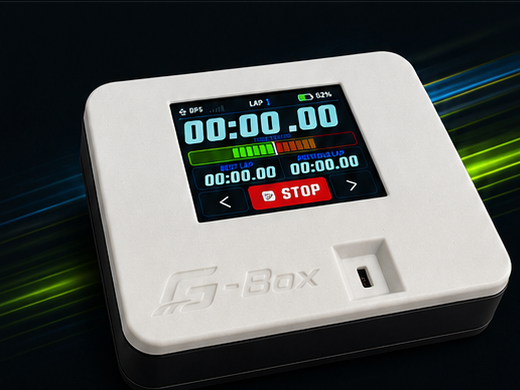
Optional G-Box Hardware · $199
G-Box is made for HPDE, track days and club racing. Its 25 Hz GPS measures lap times and builds smooth speed traces, while Bluetooth and Wi-Fi give you two simple ways to connect. It shows whether you are faster or slower than your best lap, estimates car power from acceleration, records your session, and sends the data to the G-Box app for overlays, leaderboards and AI coaching.
Bring your laps. Keep your workflow.
Import supported telemetry from RaceChrono, Harry’s LapTimer, VBOX, Race Navigator, MoTeC and AiM, then compare laps on your iPhone. Supported exports and available channels depend on the source system, file format and recording. G-Box also offers a browser viewer for compatible telemetry files.
The app is organized around the way a track day actually works: record clean data, keep video aligned, clean up questionable laps, compare the right reference, then decide where time is being lost.
Live lap timer with selected track, reference lap, start/finish detection, sector timing, delta bar, speed and G-force. Low-frequency GPS is handled with crossing interpolation so phone GPS and high-rate receivers can share the same lap logic.
Back, front and dual-camera recording can be packaged with telemetry. Overlay jobs keep the same Speed/G/map layout and can be sent to the server composer for finished review videos.
The library stores track, car, driver, tire, best lap, invalid laps and linked media. Sessions can be shared as an AILapSession package with manifest, telemetry and videos.
Analysis compares one or two laps, builds theoretical-best sector combinations, marks entry/apex/exit zones, and sends filtered telemetry to AI models such as Racing Instructor, Racing Engineer and F1 Engineer.
A look at G-Box 2.5, currently awaiting App Store approval. Tap a screen to explore it. Fusion and other advanced tools require G-Box Pro.
G-Box Pro 2.5 preview: a calculated GPS + IMU driving line. No external GPS receiver required.
Compare braking, corner speed and delta on synchronized maps and graphs.
Track current, previous and best lap, with live timing and available telemetry in one view.
Review how braking, rotation and acceleration change from one lap to another.
Link video to your session and review your driving alongside the data.
Follow your recorded driving line and review the lap on the map.
Organize sessions and return to the recordings you want to compare.
Under the simple cockpit UI, G-Box handles the hard work: GPS timing, video sync, lap cleanup, class rankings and AI-ready session summaries.
The app detects start/finish, stores sector splits, and shows live delta against the selected reference lap so drivers can see where the time is coming from.
The app can use the phone, G-Box hardware, popular external GPS devices and available OBD data, then turns everything into the same lap map, speed trace and G-force review.
Back/front/dual camera recording is tied to the session clock. The exported package can carry raw videos, overlay videos, picture-in-picture output and telemetry for server-side composition.
Drivers can delete invalid laps, compare all laps from selected sessions, build theoretical best sectors, estimate GT class by power-to-weight, and send compact or full telemetry to AI analysis.
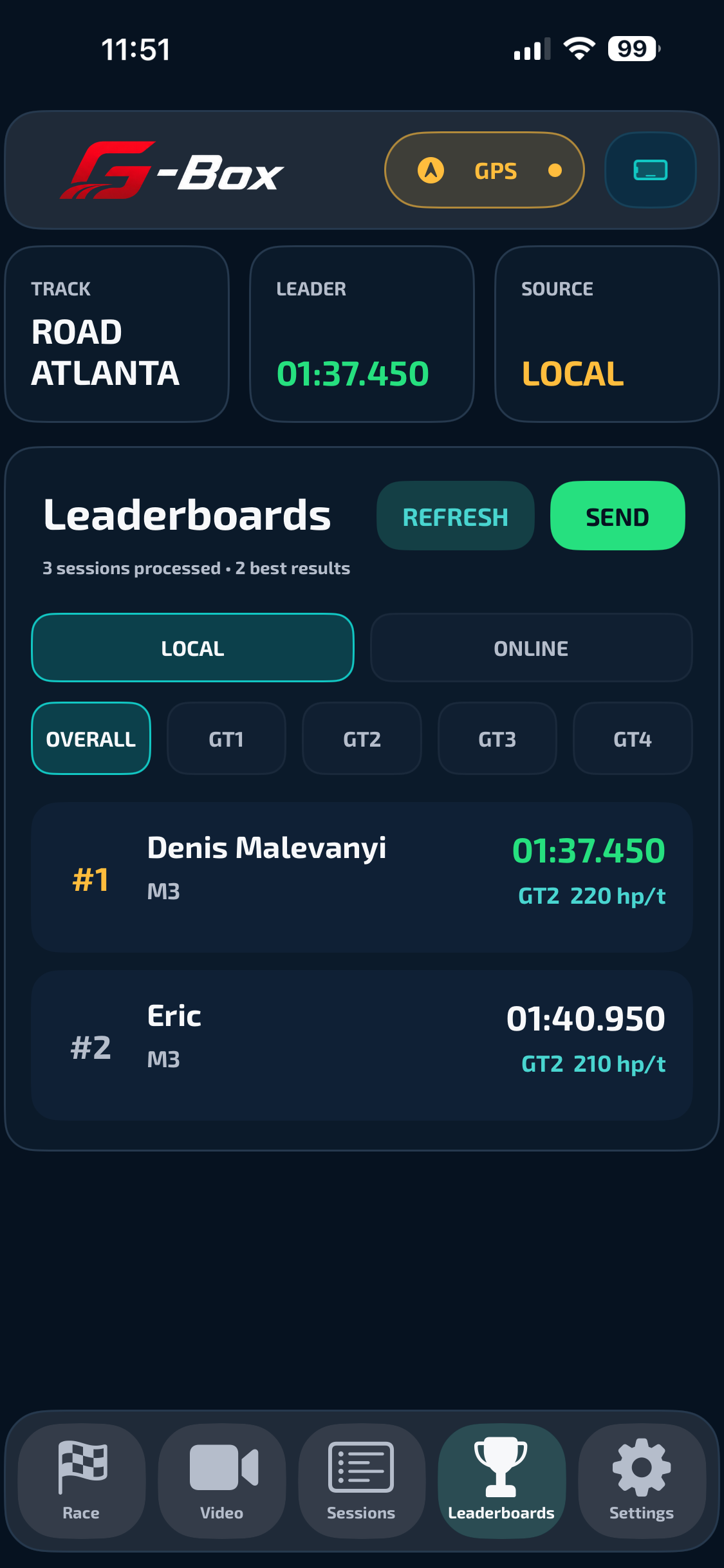
Leaderboards
G-Box finds the best valid lap for each driver and car, groups results by track and class, and lets clubs or friends compare local and online results without spreadsheet work after a track day.
3 sessions processed · 2 best results
Telemetry exported from G-Box opens directly on the site. The browser viewer is not a separate toy: it follows the native analysis model with lap rebuilding, track map, playback cursor, Speed/Long G/Lat G graph and imported-file metadata.
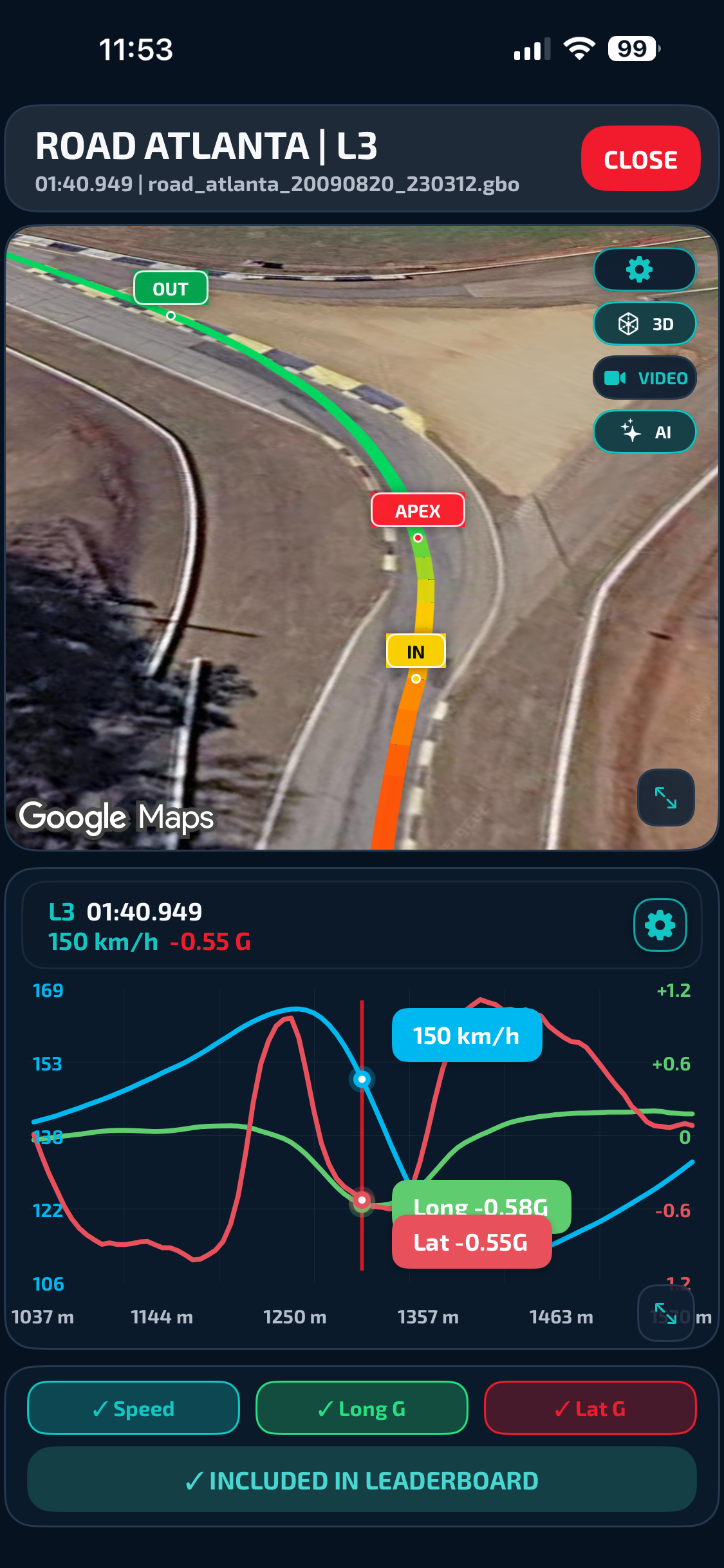
Use the demo file, upload your own telemetry, or open session links generated from the library. VBO, CSV and normalized GBO data all land in the same review layout.
The route is colored by speed, start/finish is inferred like in the app, and the viewer keeps S/F, S2 and S3 layouts per track for repeat analysis.
Speed, Long G and Lat G can be toggled, zoomed and synchronized with the map, so a braking or exit mistake is visible as both a line on the circuit and a trace on the graph.
G-Box records, imports, normalizes and explains track data. The goal is to make every stint useful: the same session can become a local leaderboard entry, a browser viewer link, an overlay video and an AI coaching request.
Get G-Box for iPhone, explore a demo in the web viewer, or bring a supported recording from your existing logger. Fusion 25 Hz arrives with G-Box Pro 2.5, currently awaiting App Store approval.
G-Box Screen